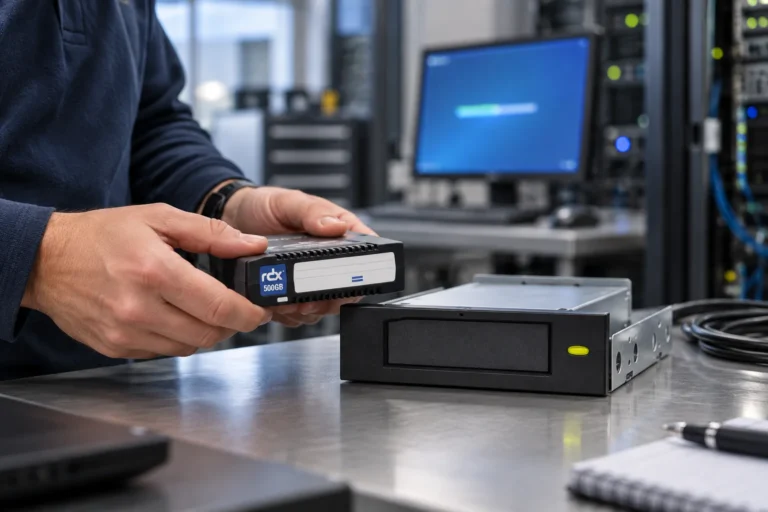
A removable RDX cartridge is not an off-site backup simply because somebody has unplugged it. It becomes one when its expected backup set, its status in Backup Exec, its physical location and its restore route can all be established without relying on one person’s memory. The practical objective is a controlled chain of custody between the backup job and the next reuse of the medium.
Backup Exec can work with disk-based storage and disk-cartridge media in configurations that depend on the installed version and environment. This is deliberately not a screen-by-screen configuration guide. Product support, hardware and connection method, retention behaviour and restore handling must be checked against the current Backup Exec documentation, the applicable compatibility information and the selected Tandberg Data reference. The process below covers the operational work that surrounds the media.
Start with the recovery purpose, not the rotation calendar
First define what a removable copy is meant to protect. It may be the weekly copy that leaves the office, a retained recovery point for a particular workload, an additional copy while an incident is being investigated, or a repeatable process for a branch office. Those purposes are not interchangeable: they affect who may take the cartridge, how long it must remain untouched, where it is stored and when it may return to service.
Avoid treating removable media as the only place where all backups reside unless the recovery design has been validated end to end. A cartridge usually supports a wider arrangement of copies, monitoring, physical safeguards and restoration priorities. Its value lies in a defined role in that arrangement—not in a generic label such as “weekly backup”.
Confirm the technical boundary before operationalising it
Compatibility must be established for the actual project rather than assumed from a similar deployment. Record the Backup Exec version, host operating system, storage model and connection, any required drivers, the intended storage behaviour and the planned retention rule. Validate the restore path too. A backup that appears in a job result is not yet proof that the team can restore the required data from the retained cartridge.
The human boundary needs equal attention. Name the person who reviews results and alerts, the people authorised to remove and receive media, the owner of overdue items and an alternate for each role. A rotation is fragile when an administrator is the only person able to explain what “normally happens on Friday”.
Make three records agree
Every cartridge should be recognisable in three places:
- The physical record — a durable, unique reference on the cartridge or in the hardware inventory.
- The Backup Exec record — the storage or backup-set reference used by the software.
- The custody record — the operational register that states intended content, current condition, location, holder and reuse decision.
None replaces the others. A label cannot prove a backup set is usable; a console entry cannot prove who has the cartridge. The custody record joins those facts and should contain only what is needed to operate the process. Do not write credentials, client names or an unnecessary description of sensitive data onto a removable label.
Use a repeatable hand-off cycle
The most reliable rotation is often a short, observable sequence:
- Review the backup outcome and any alerts that need a decision.
- Match the cartridge selected for handling to its physical reference and its register entry.
- Keep another known copy available while a cartridge is being transported, checked or held elsewhere.
- Log removal, the intended holder or location, and the planned return or reuse date.
- Obtain confirmation when the medium is received at the agreed location.
- On return, check its condition and status before assigning it to another backup cycle.
The frequency can be daily, weekly or monthly, but it must match recovery objectives and available capacity. It should never force an operator to overwrite a cartridge merely because the calendar says so while a retention period or an unresolved exception still applies.
Keep a rotation control card
This table can be built as a Gutenberg block or maintained in the organisation’s approved register. Its purpose is to let a substitute operator make a defensible decision rather than reconstruct the past from email messages.
| Control point | Information to record |
|---|---|
| RDX reference | Permanent physical cartridge identifier |
| Backup Exec reference | Storage or backup-set reference in the console |
| Checked status | Outcome reviewed, alert or exception, accountable person |
| Current custody | Holder or approved storage location |
| Removal and receipt | Date, person and confirmation of hand-off |
| Reuse decision | Date and condition that permit the next use |
| Exception | Required action, owner and resolution deadline |
The register does not need elaborate workflow software. It does need to distinguish a medium that has left the site, been received, is overdue, is reserved for an investigation or is genuinely cleared for reuse. “Due out on Friday” is a plan, not evidence of custody.
Treat reinsertion as a controlled recovery step
Bringing a retained medium back to the environment is not simply a matter of reconnecting a drive. Depending on the deployed configuration and how long the media has been detached, Backup Exec may require storage-management, inventory or catalogue steps before the expected backup sets can be located and used. Confirm that procedure on the installed version; do not build a production runbook on a generic assumption.
Give exceptions the same discipline. A missing cartridge, ambiguous job result, absent receipt confirmation or media retained for an investigation should have a named owner and an explicit next action. Keep a reserve and do not overwrite the last known good copy while the discrepancy is open.
Prove the restore path from a retained cartridge
At planned intervals, choose a cartridge that has followed the retention process—not merely the newest successful job on screen. Use the register to locate it, carry out the documented preparation, restore the agreed scope and ask the relevant business owner to confirm the result is usable. Measure the time needed to find the medium, prepare it, restore the data and obtain acceptance.
This test may expose a disagreement between the register, the software catalogue and the physical medium. It may also reveal missing access rights, capacity or instructions. Correct the cause, update the runbook and retest the affected stage. That is how an RDX rotation becomes an evidenced recovery capability rather than a collection of cartridges.
Read the five-step offline-media rotation guide, the restore-test checklist and the guide to physical and logical air gaps alongside this article. Links to the off-site-custody and media-sizing articles will be added when their English versions are published. For a specific Backup Exec and RDX implementation, use the current technical documentation and the relevant Tandberg Data compatibility or project guidance.
Share this guide